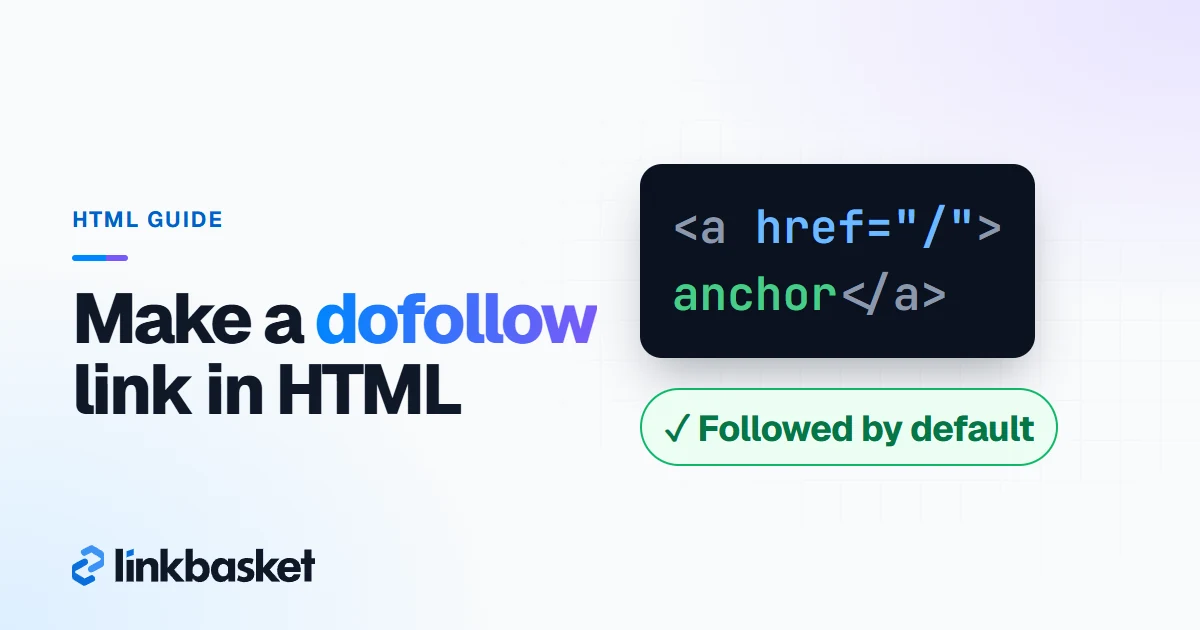
Dofollow link HTML is a plain anchor tag with an href and no rel value that blocks ranking credit, such as <a href="https://example.com/">anchor text</a>. Links are followed by default, so there is nothing extra to add. You make a link "nofollow" by adding a value, and you make it dofollow again by taking that value away.
Last updated: November 9, 2026
Below you'll find copy-paste code, what each rel value does, and the exact clicks in WordPress, Shopify and Blogger. We checked each editor's current documentation on November 9, 2026.
What is the dofollow link HTML code?
The dofollow link HTML code is an <a> element with an href pointing at the destination and visible anchor text between the tags. Nothing else is required.
<a href="https://www.example.com/guide/">a guide to choosing running shoes</a>
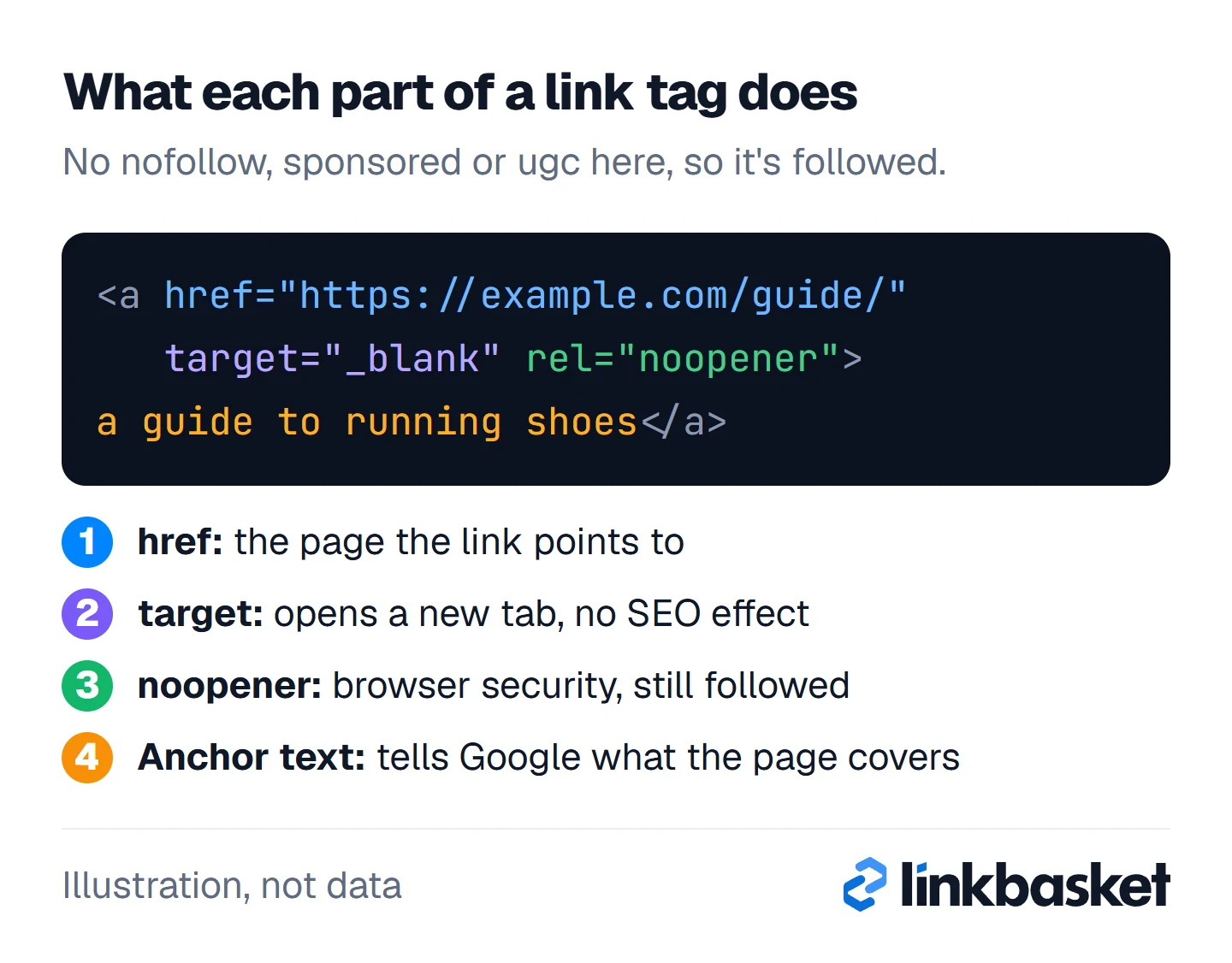
Each part has one job:
href: the destination URL. Use the fullhttps://address for other sites.- Anchor text: the clickable words. Google reads them as a description of the target page, so "a guide to choosing running shoes" beats "click here".
- Optional
target="_blank": opens the link in a new tab. It has no effect on whether the link is followed.
This version also counts as followed:
<a href="https://www.example.com/guide/" target="_blank" rel="noopener">a guide to choosing running shoes</a>
noopener and noreferrer are browser security values. Search engines don't treat them as qualifiers, so the link stays followed. The figure labels each part of that second link.
Is there a rel="dofollow" attribute in HTML?
No. There is no rel="dofollow" value in HTML. Ahrefs' own glossary makes the same point and calls these links "followed" instead. Writing rel="dofollow" does nothing useful, because a plain link is already followed.
If a client or plugin insists on it, it won't break anything. It just won't help either. Delete it when you tidy the template.
What do nofollow, sponsored and ugc mean in link HTML?
The nofollow, sponsored and ugc values tell Google how you relate to the page you link to, and links that carry them "will generally not be followed," according to Google's guide to qualifying outbound links (checked November 2026).
rel value |
Use it for | Followed? |
|---|---|---|
| none | Editorial links you chose and trust | Yes |
sponsored |
Ads and paid placements | Generally not |
ugc |
Comments, forum posts, user profiles | Generally not |
nofollow |
Anything else you don't want to vouch for | Generally not |
noopener / noreferrer |
Browser security on new-tab links | Yes |
Here's the nofollow link HTML, plus the two newer values:
<a href="https://www.example.com/" rel="nofollow">anchor text</a>
<a href="https://www.example.com/" rel="sponsored">anchor text</a>
<a href="https://www.example.com/" rel="ugc">anchor text</a>
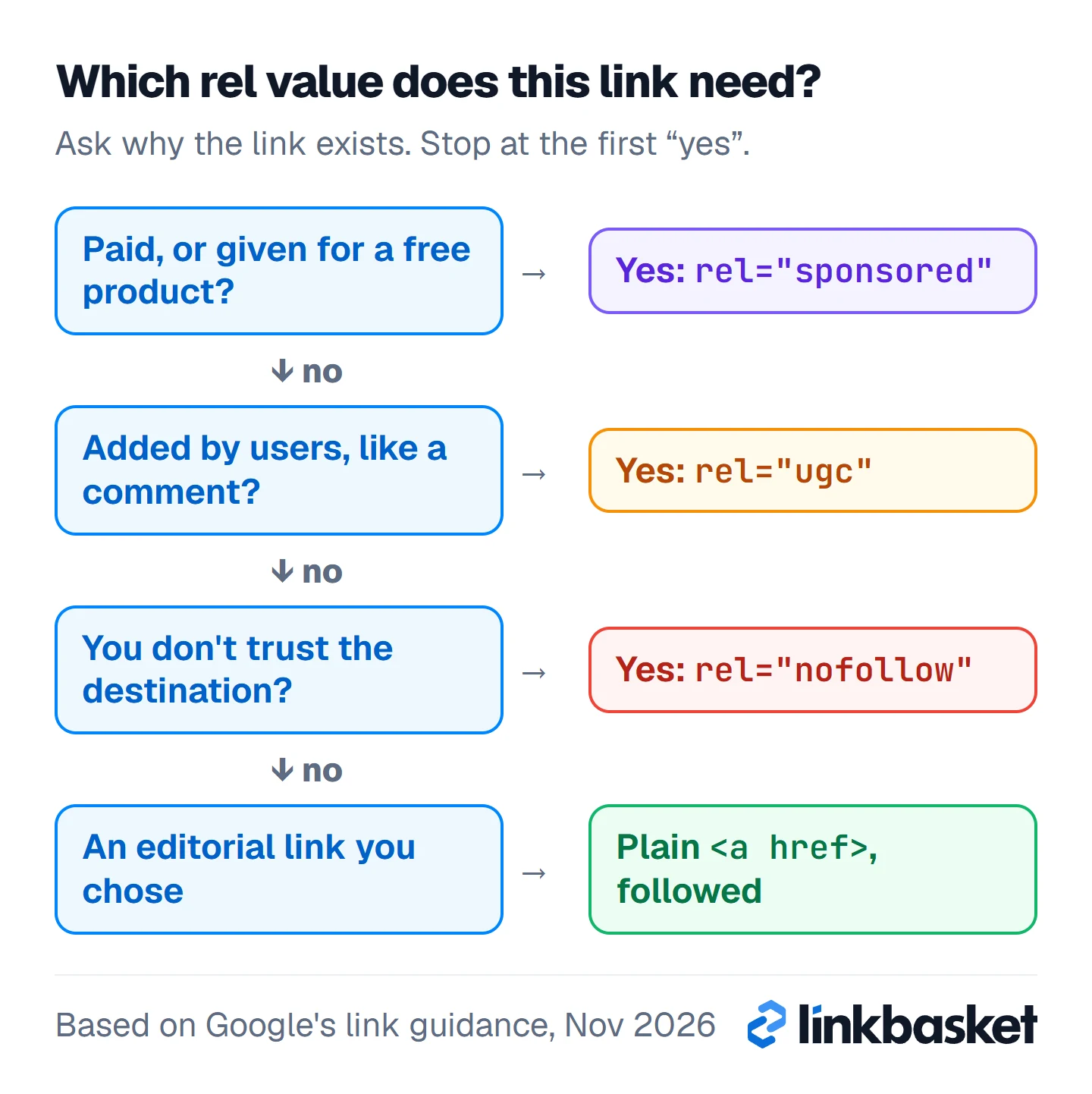
You can combine values. Google accepts a space-separated or comma-separated list, such as rel="ugc nofollow", and its 2019 announcement gave rel="ugc sponsored" as an example for a paid link inside user content. Since September 10, 2019, Google treats all three as hints rather than strict orders. Our dofollow vs nofollow comparison covers what that means for rankings. Not sure which value a link needs? Work down the flow and stop at the first "yes".
When must a link use sponsored or ugc, not dofollow?
Google requires sponsored (or nofollow) on any link you were paid for, and recommends ugc on links your users add. A plain dofollow link is only correct when you chose the link on merit.
Google's spam policies list several deals that count as paying for a link:
- "Exchanging money for links, or posts that contain links"
- "Exchanging goods or services for links"
- "Sending someone a product in exchange for them writing about it and including a link"
Use nofollow for the rest: Google's documentation on crawlable links says to use it when you don't trust the source, "and not for every external link on your site." Over-tagging honest outbound links helps nobody.
How do you make a dofollow link in WordPress?
To make a dofollow link in WordPress, select your text in the block editor, press Ctrl+K (Cmd+K on Mac), paste the URL and press Enter. The link is followed by default. The whole job takes about 10 seconds.
To change its rel value:
- Click the linked text. A small preview appears with options to open, edit, remove or copy the link.
- Click Edit, then expand Advanced. The link's extra settings open below the URL.
- Turn on Mark as nofollow to add
nofollow, or turn it off to make the link dofollow again. WordPress's Link control documentation (updated September 6, 2026) lists Open in new tab, Mark as nofollow and Additional CSS class(es) there.
Core WordPress has no toggle for sponsored or ugc. You have two routes:
- Edit the HTML. Open the block's options menu (the three dots), choose Edit as HTML, and type
rel="sponsored"into the tag. Switch back to visual editing when you're done. - Use an SEO plugin. Yoast SEO added nofollow and sponsored toggles to the block editor's link settings in version 14.4, and marking a link sponsored also adds
nofollow.
If every external link on your site comes out nofollow, a plugin or theme setting is usually doing it. Check the plugin list before editing posts one by one.
How do you make a dofollow link in Shopify?
To make a dofollow link in Shopify, select text in the rich text editor, click Insert link, enter the URL in the Link to field and click Insert link again. Shopify's help page (checked November 2026) doesn't mention rel values, and the link is a plain anchor tag.
The same dialog has a Link title box and an Open this link in menu for "the same window" or "a new window." Neither changes whether the link is followed.
To add or remove a rel value:
- Click Show HTML (the
<>code button) in the editor toolbar. - Find the
<a href="...">tag and addrel="sponsored", or delete an existingrel="nofollow". - Switch back and save.
- Open the live page within 5 minutes of saving and inspect the link, because rich text editors sometimes rewrite pasted HTML when you save.
How do you make a dofollow link in Blogger?
To make a dofollow link in Blogger, select text in the post editor, click the link button in the toolbar and paste the URL. Like the others, the result is a plain, followed anchor.
To add or remove rel values, switch the post editor from Compose view to HTML view. In the current editor, a single toolbar button toggles between the two modes, shown as a pencil or a <> icon. Edit the <a> tag directly, switch back to Compose view and update the post. Blogger's own help centre doesn't document the toggle in detail, so if your editor looks different, look for any "HTML view" option near the top left of the toolbar.
Here are all three editors side by side:
WordPress
- Ctrl+K, paste the URL, press Enter
- Edit, Advanced, Mark as nofollow
- Sponsored: Edit as HTML or an SEO plugin
Shopify
- Insert link, then the Link to field
- No rel option in the dialog
- Show HTML to edit the tag
Blogger
- Toolbar link button, paste the URL
- Switch Compose view to HTML view
- Edit the tag, then switch back
Which rel value should each link get?
Choose the rel value from why the link exists, not from what helps the other site. This decision table covers the common cases.
| Link situation | HTML to use | Why |
|---|---|---|
| You cite a source you trust | <a href="..."> |
Editorial choice, followed |
| You link to your own other pages | <a href="..."> |
Internal links stay followed |
| An advertiser paid for the link | rel="sponsored" |
Google's spam policies |
| You got a free product to review | rel="sponsored" |
Goods for links counts as payment |
| An affiliate link earns you a commission | rel="sponsored" |
Google asked for it in July 2021 |
| A reader left it in a comment | rel="ugc" or rel="ugc nofollow" |
User-generated content |
| You don't trust the destination | rel="nofollow" |
You don't want to vouch for it |
Worked example: tagging the links in one blog post
This worked example is hypothetical. Say you publish a 1,500-word review of 3 running shoes with 6 outbound links:
- 2 links to the brands' sizing charts (you chose them): plain
- 1 link to a published study on running injuries: plain
- 1 affiliate link to a retailer paying 5% commission:
sponsored - 1 link to a shoe a brand sent you for free:
sponsored - 1 link a reader added in the comments:
ugc
Here's how the tagged links look in the post's HTML:
<a href="https://brand-one.example/sizing/">Brand One's sizing chart</a>
<a href="https://journal.example/running-injury-study/">a 2024 study on running injuries</a>
<a href="https://retailer.example/shoe-x/" rel="sponsored">Shoe X at Retailer</a>
<a href="https://brand-two.example/shoe-y/" rel="sponsored">Shoe Y</a>
<a href="https://reader-site.example/" rel="ugc nofollow">reader's site</a>
Result: 3 followed, 3 qualified, or 50% of the 6 links. If the affiliate deal pays $40 a month, that's still a paid link, whatever the amount. That's honest tagging, and it keeps your own site on the right side of Google's rules.
Which edge cases change the dofollow link HTML?
Five cases need extra care with dofollow link HTML.
- Button and navigation links. In WordPress, Button and Navigation blocks set the rel value in the block's own settings, not in the text link panel.
- Image links. Put
relon the<a>that wraps the<img>. Google uses the image'salttext as the anchor, so write a real description. - Links injected by JavaScript. Google can crawl script-inserted links when they use normal
<a href>markup. A<span onclick>with nohrefmay never be read as a link. - Page-level nofollow. A
<meta name="robots" content="nofollow">tag overrides every clean link on the page. Check the page head before blaming the link. - Bought links on your own site. If you sell placements, add
sponsored. Quietly leaving them dofollow is the exact pattern Google's link spam policy targets.
To confirm the result on a live page, use the steps in our guide on how to check dofollow links.
When should a developer edit your link HTML instead?
Ask a developer when you need to change rel values across hundreds of pages, in theme templates, or in navigation and footer links. Template edits can break layouts, and bulk search-and-replace in a database can break far more.
Don't hand-edit link HTML at all if your CMS is managed by an agency or IT team with a change process. Send them the table above and the exact URLs instead. Editing it yourself? Run this check before you hit publish:
- Paid, affiliate and free-product links carry
rel="sponsored". - Comment and forum links carry
rel="ugc". - Editorial links have no rel value, or only noopener.
- No plugin or theme adds nofollow to every external link.
- The live page shows the rel values you saved.
FAQ
How do I write a nofollow link in HTML?
Add rel="nofollow" to the anchor tag: <a href="https://example.com/" rel="nofollow">text</a>. For paid links, Google prefers rel="sponsored", though it still accepts nofollow for them.
Does target="_blank" make a link nofollow?
No. target="_blank" only opens the link in a new tab. Editors often add rel="noopener" at the same time, which is a security value and doesn't affect whether search engines follow the link.
Are href backlinks the same as dofollow backlinks?
An href backlink is any <a href> link from another site to yours. It's dofollow only if it carries no nofollow, sponsored or ugc value. Whether it helps you depends on the site, as our checklist on what makes a good backlink explains.
Can I ask a publisher to remove nofollow from my link?
You can ask, but if you paid for the link, Google's policy expects it to stay qualified. For earned editorial mentions, a polite request to drop an unnecessary nofollow is reasonable.
Next step: get dofollow links on sites you can check first
The HTML is the easy part; the site behind the link decides its value. Our guide to dofollow backlinks covers which sites are worth it. When you want placements, browse the LinkBasket link inventory with a free account: each site shows its link type and whether a sponsored tag is added before you pay. After a link goes live, you get 3 days to check the article. Our guest posting service explains how in-body placements work.