The fastest do follow backlink checker is your browser: right-click the link, choose Inspect, and read the rel value on the <a> tag. If there's no nofollow, sponsored or ugc, the link is followed. Then rule out two page-level traps that can override a clean tag, the meta robots tag and the X-Robots-Tag header. For hundreds of URLs at once, filter the Backlinks report in Ahrefs or Semrush.
Last updated: November 9, 2026
We checked each tool's labels on its own help page or store listing on November 9, 2026. Menus move around. If a label looks different on your screen, the filter is usually close by.
Which do follow backlink checker method fits your job?
The right do follow backlink checker depends on how many links you're checking and whose site they sit on. One URL takes 30 seconds in a browser. A whole profile needs a tool with its own crawler and index.
| Your job | Best method | Cost | Catches page-level nofollow? |
|---|---|---|---|
| Confirm 1 placement you paid for | Browser Inspect + view source | Free | Yes, if you look |
| Scan every link on 1 article | Free browser extension | Free | Sometimes |
| List followed links to your own site | Ahrefs Backlinks report, Dofollow filter | Free for verified sites (Ahrefs Free) | Partly |
| Study a rival's followed links | Ahrefs or Semrush filters | Paid | Partly |
| Read the response headers | DevTools Network tab | Free | Yes |
In practice you'll pair two of these. A tool finds the candidates; your browser confirms the few that matter.
Method 1: How do you check a dofollow link with Inspect?
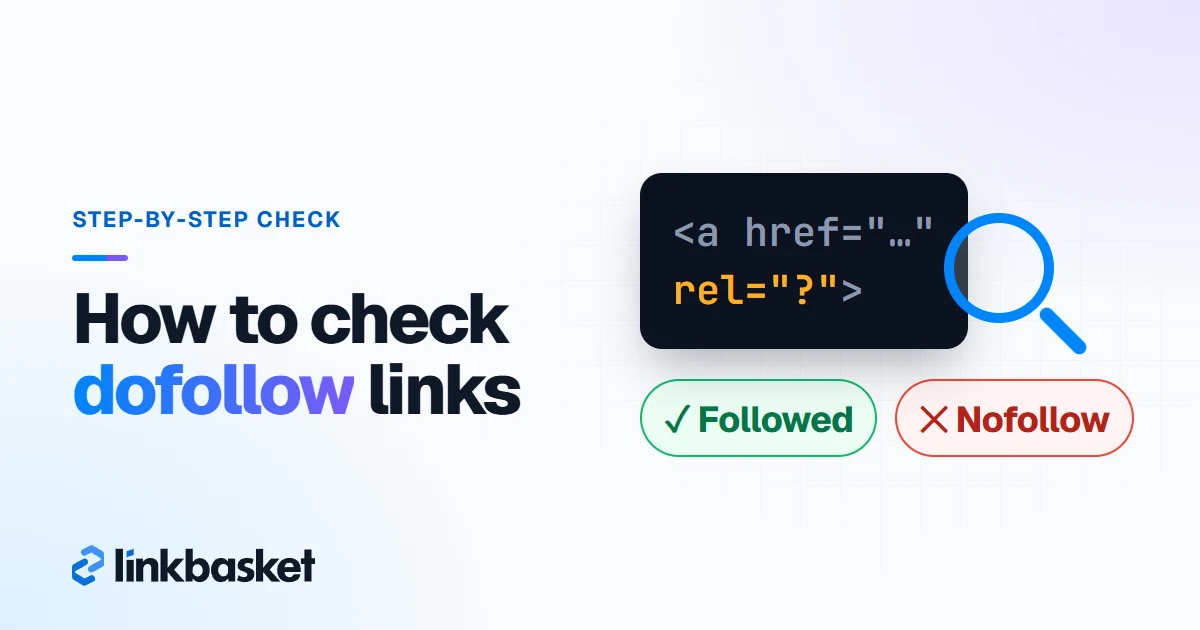
To check a dofollow link in a browser, right-click it, choose Inspect, and read the highlighted <a> tag. It works in Chrome, Edge and Firefox, and it shows the rendered page, so links added by JavaScript appear too.
- Open the article that mentions you.
- Right-click your anchor and choose Inspect. The Elements panel opens with the tag highlighted.
- Read the attributes. A clean one looks like
<a href="https://yoursite.com/page">anchor</a>. - Look for rel. Values such as
nofollow,sponsoredorugcmean Google will generally not follow it.noopenerandnoreferrerare browser security values. They change nothing for SEO. - Press Ctrl+F (Cmd+F on Mac) inside Elements and type your domain. Every mention on the page lights up in turn.
Here's a mix-up we see constantly. rel="noopener noreferrer" on a new-tab link is still followed. Don't panic.
Publishers who want the markup itself, written correctly, can grab copy-paste snippets from our guide to dofollow link HTML.
Method 2: How do you check for page-level nofollow traps?
Check the page's meta robots tag and its X-Robots-Tag header, because either one can cancel every link on the page even when the anchor tag looks clean. Most people skip this step. Don't skip it.
Meta robots tag. Press Ctrl+U (Cmd+Option+U on Mac) to open the raw source, then search for robots. Finding <meta name="robots" content="nofollow"> or content="noindex, nofollow" means the whole page asks crawlers to ignore its links. Google's robots meta tag documentation (checked November 2026) sums up that rule in seven words: "Do not follow the links on this page."
X-Robots-Tag header. The same instruction can travel in the HTTP response instead. No extension that reads the page will spot it.
- Open DevTools (F12) and click the Network tab.
- Reload.
- Click the first request in the list, which is the document itself.
- Under Response Headers, look for
X-Robots-Tag. If its value includesnofollow, every outbound URL on that page is qualified.
You'll rarely hit either trap on a normal editorial site. But one missed header can quietly void a placement you paid $200 for.
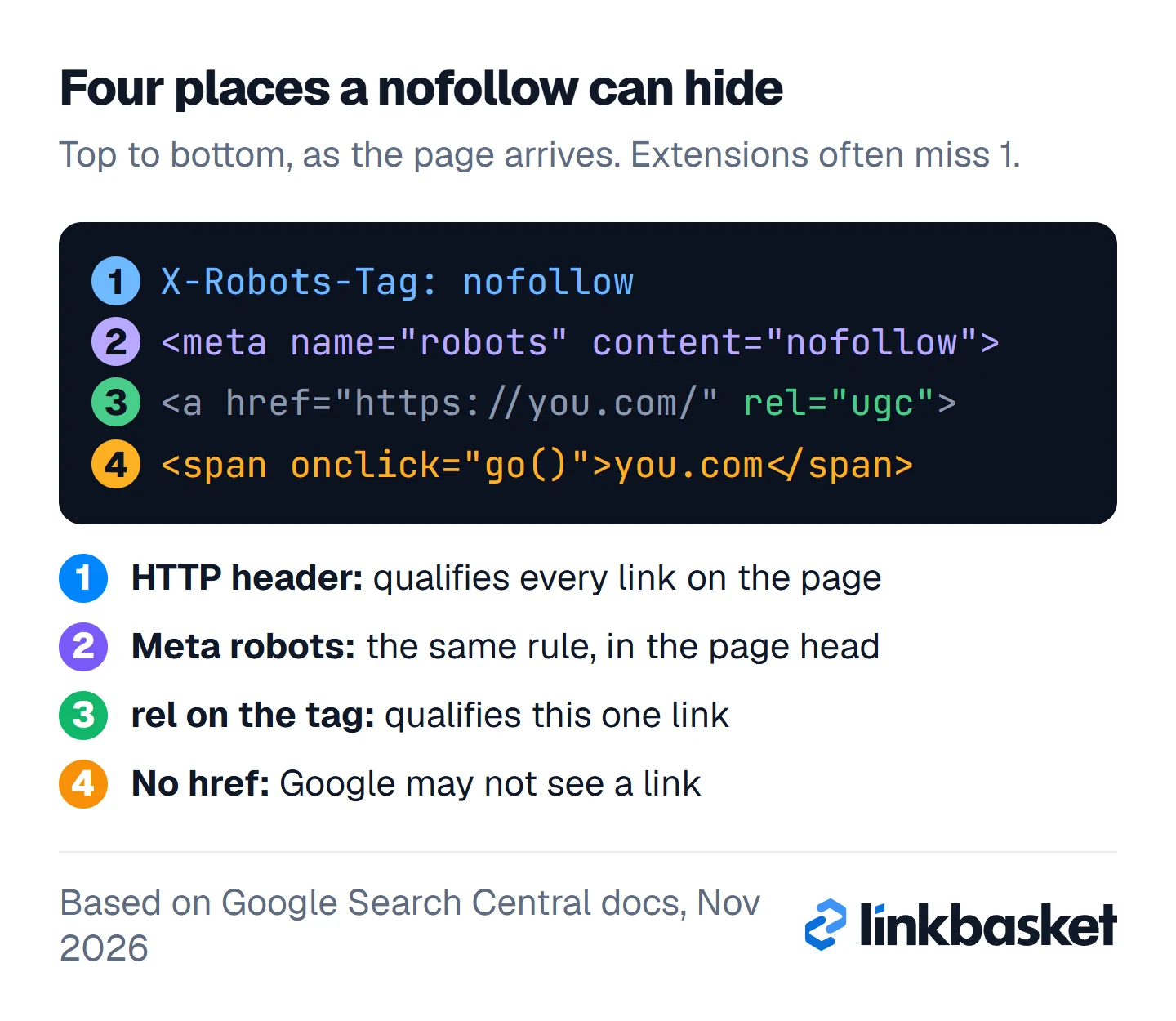
The figure stacks all four hiding places in the order a page arrives, header first. Line 1 is the one most extensions never see.
Method 3: Which free dofollow link checker extension helps?
A free dofollow link checker extension highlights followed and qualified links on whatever page you're viewing, which saves time on long articles. The Ahrefs SEO Toolbar is one: its Chrome Web Store listing (version 3.2.14, updated November 4, 2026) says the core tools are free and can highlight links and filter outgoing ones.
Plenty of small single-purpose highlighters exist as well. Before trusting any of them, test it on a page where you already know the answer. Two limits apply to the whole category:
- Most read only the rendered DOM, so an
X-Robots-Tagheader slips past them. - Some lump
sponsoredandugcin with nofollow. Others ignore those values entirely.
Extensions are great for scanning. When you paid money for a placement, though, don't trust a highlighter alone; confirm with Methods 1 and 2.
Method 4: How do you find dofollow backlinks in Ahrefs?
To find dofollow backlinks in Ahrefs, open Site Explorer, enter the domain, go to the Backlinks report and filter by link attribute so only Dofollow rows remain. Ahrefs' glossary notes that no dofollow attribute exists, so it calls these "followed."
The same attribute menu offers Nofollow, UGC and Sponsored too, per Ahrefs' help article on Backlinks report filters (dated September 3, 2026). Keep two caveats in mind:
- Data reflects the last crawl. A tag the owner changed yesterday may still show its old value, so don't trust a single report for a link that matters.
- Your own domain can cost nothing. Ahrefs Free, the new name for Ahrefs Webmaster Tools, shows up to 1,000 backlinks at once for sites you verify. A competitor's complete list needs a paid plan.
Want to know which of a rival's links you could win too? Our guide to competitor backlink analysis turns that list into a prospect sheet.
Method 5: How do you check dofollow backlinks in Semrush?
To check dofollow backlinks in Semrush, open Backlink Analytics, enter a domain, click the Backlinks tab and choose Follow in the attribute quick filters. Semrush's knowledge base (checked November 2026) lists four options there: Follow, Nofollow, Sponsored and UGC.
Pair it with the Active / New / Lost selector. Follow plus New surfaces recent wins. Follow plus Lost is the view most people skip, and it's exactly where removed or downgraded placements show up.
Why doesn't Google Search Console show dofollow links?
Google Search Console can't act as a dofollow checker because its Links report doesn't label attributes at all. Google's help page for that report says plainly that it "doesn't specify if a link is marked as nofollow."
So treat Search Console as a list of who mentions you, nothing more. If you've been reading it as a dofollow report, that explains a lot. Verify attributes elsewhere. Our walkthrough on how to check backlinks covers that report screen by screen.
Why does a dofollow nofollow checker give wrong answers?
A dofollow nofollow checker goes wrong when the signal sits outside the anchor tag, when JavaScript builds the link, or when its data is old. Five traps cause nearly every false reading:
- Meta robots nofollow. Tag looks clean; page says otherwise.
- X-Robots-Tag header. Invisible in the HTML. Only the Network tab or a header tool reveals it.
- JavaScript-inserted anchors. View source may show nothing while Inspect shows the link. Google says script-inserted links are crawlable when they use ordinary
<a href>markup, so trust the rendered version. A<span>with anonclickhandler and nohrefis a different story, and Google may fail to extract it. sponsoredandugcvalues. Qualified, not followed. Tools disagree on how they display them, but none of them count as dofollow.- Stale index data. Third-party reports show their last visit, which might be weeks old.
One more wrinkle. Since September 2019, Google has treated all three rel values as hints, so even a perfect checker reports what a page asks for, not precisely what Google does with it. Our dofollow vs nofollow links comparison explains what that hint model means for your strategy. Here's what each checker can and can't see:
Browser Inspect
- Free, one link at a time
- Reads the rendered rel value
- View source and the Network tab catch page rules
Free extensions
- Free, one page at a time
- Highlight links fast
- Usually miss the X-Robots-Tag header
Ahrefs and Semrush
- Whole profiles, paid for rivals
- Dofollow or Follow filter
- Show the last crawl, not the live page
Worked example: checking 10 dofollow links you paid for
This worked example is hypothetical, and so is every figure in it. Say you bought 10 dofollow placements over 3 months and want proof they're intact.
- Step 1, Semrush: Follow + Active returns 8 of your 10. Two are missing.
- Step 2, Inspect those 8: 7 are clean. One carries
rel="sponsored", which is honest labelling, yet not what the listing promised. - Step 3, view source on the 7: one page has
<meta name="robots" content="noindex, nofollow">. Six remain. - Step 4, chase the missing 2: one article was deleted. The other exists, the tool simply hasn't recrawled it, and Inspect shows a clean, live anchor. Back to 7.
Final tally: 7 confirmed, 1 sponsored, 1 page-level nofollow, 1 gone. Skip Steps 2 and 3 and you'd have counted 8 good placements while missing two problems.
How should you check dofollow links you paid for?
Check a paid dofollow link on the day it goes live, then on a schedule, because owners edit attributes and delete posts after the invoice clears. A single check proves nothing about next month.
So check the site before you buy, not only the link after.
Which edge cases change a dofollow link check?
Four situations change how you read the result.
- Outbound redirects. Some sites route external links through
/go/or/out/paths. Inspect then shows their URL, not yours, so follow it and see where it lands. - Image links. The
relsits on the<a>wrapping the image, and Google uses the image's alt text as its anchor. - Noindex, follow.
content="noindex, follow"keeps a page out of results while asking crawlers to follow its links. Still, an unindexed page is a weak home for a placement. - Paywalls and logins. You see the link because you're signed in. A crawler might not.
When should you call a specialist about dofollow links?
Call a technical SEO specialist when you're auditing thousands of links during a site migration, or when Search Console reports a manual action for unnatural links. No checker fixes either.
For a handful of links that matter, you can run the full check yourself:
- The rel value in Inspect shows no nofollow, sponsored or ugc.
- View source shows no nofollow in the meta robots tag.
- The Network tab shows no nofollow in an X-Robots-Tag header.
- The rendered page has a real
<a href>, not a span with an onclick. - The page still shows the link a month later.
And don't let a checker decide what to disavow. A tool can say a link is followed. It can't say whether Google already ignores it.
FAQ
What is the best free do follow backlink checker?
Your browser's Inspect tool. It's free, exact and shows the rendered link. Add view source and the Network tab to catch meta robots and header rules, and use a free toolbar such as Ahrefs' when you need to scan a long page quickly.
Is a link with rel="noopener" dofollow?
Yes. noopener and noreferrer protect the browser session and are often added automatically to new-tab links. Search engines only treat nofollow, sponsored and ugc as qualifiers.
Why does Ahrefs show dofollow when the page says nofollow?
Usually the owner changed it after Ahrefs' last crawl. Occasionally a page-level meta robots or header rule is the cause, which a backlinks report may not reflect. Re-check the live page using Methods 1 and 2.
How often should I check my dofollow backlinks?
Monthly suits most sites. For anything you paid for, check on publish day and then weekly or monthly. Placements bought through the LinkBasket inventory get a weekly check from us for 12 months.
Next step: check dofollow links before you pay for them
Checking after publishing is too late to choose well. Browse our link marketplace inventory with a free account to see link type, sponsored tag, DR and traffic before you order. Our guide to do follow backlinks covers which sites deserve a link at all, and the niche edit service page explains insertions into existing articles.