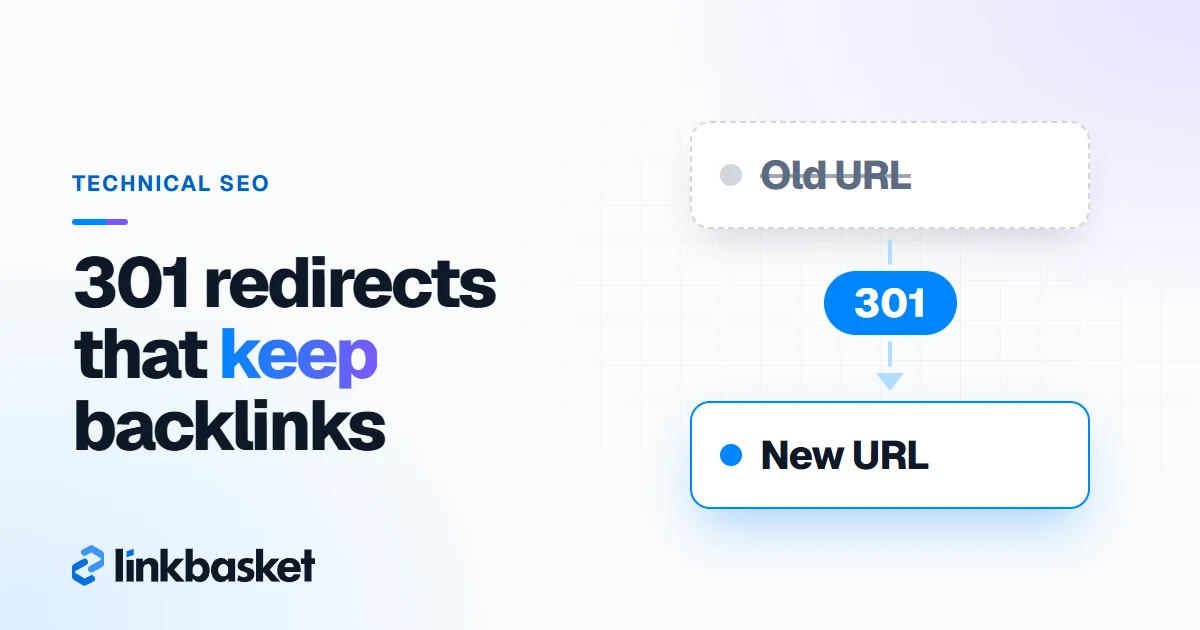
301 redirect backlinks are links pointing at an old URL that now permanently redirects to a new one, and Google says permanent redirects don't cause a loss in PageRank. So those links keep counting, as long as the new page is a genuine replacement for the old one. Redirect a dead page to something unrelated, or buy an expired domain just to redirect its links, and the picture changes fast.
Last updated: November 9, 2026
We checked every Google statement below on its source page on November 9, 2026.
How do 301 redirect backlinks pass link value?
301 redirect backlinks pass link value because Google treats a permanent redirect as a strong signal that the target URL should replace the old one. Whatever authority the retired address had, inbound votes included, gets consolidated on its successor.
Two official pages spell this out:
- Its redirects guide (checked November 2026) says Google uses a permanent redirect "as a signal that the redirect target should be canonical."
- Its site move guide states that "301 and other permanent redirects don't cause a loss in PageRank," and says keeping redirects for at least 1 year "allows Google to transfer all signals to the new URLs."
That's the whole mechanism. A 301 redirect is a server instruction that says "this page has moved for good." Linking sites don't have to edit anything for the value to follow. Still, when you can get your top referrers to update their URLs, do it; a direct link beats a hop.
Which redirect type should you use for backlinks?
Use a server-side 301 or 308 redirect for backlinks to any URL that has moved for good. Google treats both as permanent; 302 and 307 are temporary and send only a weak signal.
| Redirect type | Google treats it as | Use it for backlinks when |
|---|---|---|
| 301 (server-side) | Permanent, strong signal | The page moved for good. Default choice. |
| 308 (server-side) | Permanent, same as 301 | Same as 301, if your server prefers it |
| 302 / 307 | Temporary, weak signal | The move really is temporary, such as a sale page |
| Instant meta refresh (0 seconds) | Permanent | You can't set server redirects |
| Delayed meta refresh | Temporary | Avoid for moved pages |
| JavaScript redirect | Permanent, if Google renders it | Last resort only; rendering can fail |
Google's HTTP status code documentation adds two details. Its crawlers follow up to 10 redirect hops by default, and they treat 307 like 302 and 308 like 301. Don't trust that limit, though. Keep chains to 1 hop. Every extra jump slows visitors down and adds another thing to break.
How do you keep backlinks during a site migration?
You keep backlinks during a site migration by mapping every old URL that has links to its closest new equivalent, then setting 1-to-1 server-side 301s before launch. Most people don't lose links to bad redirects. They lose them for one boring reason: nobody mapped those URLs.
- Inventory the old addresses. Crawl the current site with any crawler you like and export your XML sitemaps.
- Find the URLs with links. Export the Top linked pages table from the Search Console Links report, and add a third-party list such as Ahrefs' Best by links report. Our guide on how to check backlinks covers both tools.
- Map 1-to-1. Each retired page goes to whichever new one answers the same need. Blue trail shoes go to blue trail shoes. Not the homepage.
- Set server-side 301s. Test a sample of 20 to 50 URLs on staging, then again within 24 hours of launch.
- Flatten chains. Legacy rules often point at other legacy rules; aim each one straight at its final destination.
- Fix what you control. Swap internal navigation, canonical tags and sitemaps over to the fresh addresses.
- Contact your top linkers. Google's site move guide suggests reaching out to sites that link to your old content. Start with the 10 to 20 links that matter most.
- Use the Change of Address tool in Search Console if you moved to a new domain or subdomain. Google says you don't need it for HTTP to HTTPS moves.
- Leave the rules in place. Google says "for as long as possible, generally at least 1 year." Honestly, we'd keep them forever; they cost a few lines of server config.
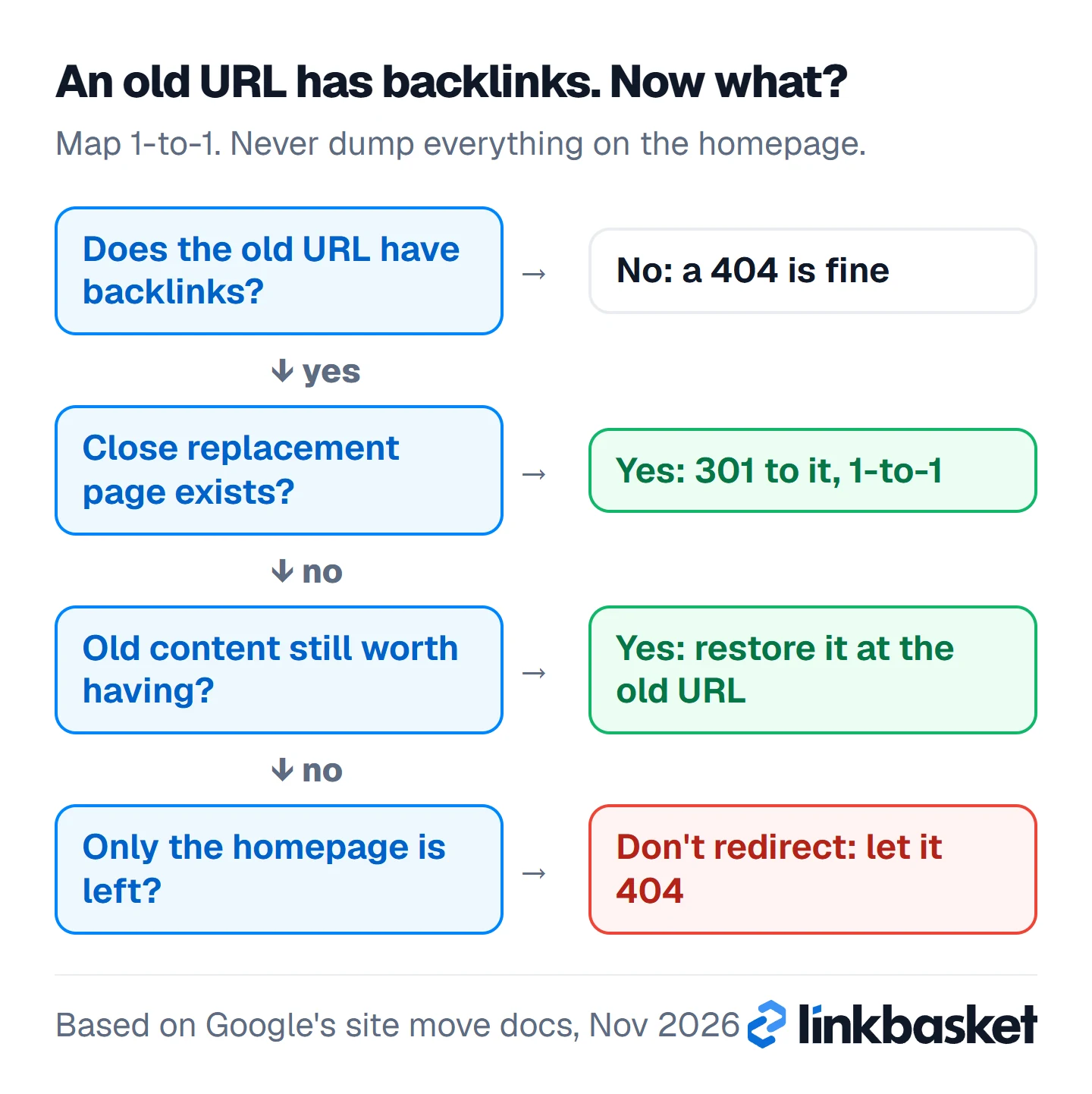
Not every old URL deserves a redirect, though. When you build the map, run each one through this flow and stop at the first answer.
How do you reclaim backlinks pointing to 404 pages?
To reclaim backlinks pointing to 404 pages, find your dead URLs that still have links, then 301 each one to the closest relevant live page or bring the page back. Google drops indexed URLs that return a 4xx code, so those links currently point at nothing.
Where to find them:
- Ahrefs: Site Explorer, then the Best by links report with the "HTTP code: 404 not found" filter. Ahrefs' academy describes exactly this view. Sort by referring domains.
- Search Console: in the Page indexing report, open the Not found (404) reason, then check which of those URLs appear in the Links report's top linked pages.
- Server logs or analytics: 404 hits arriving with an external referrer reveal mentions real humans still click.
Then pick one of three fixes:
- A close replacement exists: 301 to it.
- The content was good and nothing replaced it: restore the page at its old URL.
- The page was thin, spammy or obsolete: let it stay gone. Some inbound mentions simply aren't worth rescuing.
In practice, link reclamation is the cheapest link building there is. The links already exist; you're just reconnecting them. Our guide to do follow backlinks lists it first for that reason.
Should you redirect every 404 to the homepage?
No. Redirecting every 404 to the homepage is the classic shortcut that backfires. Google's site move guide says not to "redirect many old URLs to one irrelevant single URL destination, such as the home page," and warns this "might be treated as a soft 404 error."
A soft 404 means Google treats the redirect like a dead page. Value goes nowhere. That's precisely the outcome you were trying to dodge, and when you've redirected 300 URLs this way, you've wasted every one.
The same guide carves out one exception. Consolidated several articles into a single longer piece? Then pointing all of them at it is fine, since that piece genuinely supersedes them.
What is the expired-domain redirect trick?
The expired-domain redirect trick is buying a lapsed domain that still has backlinks and 301-redirecting it, or its pages, to your own site to inherit those links. When the main purpose is to manipulate rankings, it falls under Google's expired domain abuse policy.
Google added expired domain abuse to its spam policies on March 5, 2024. The policy describes an expired domain "purchased and repurposed primarily to manipulate search rankings" with content that gives users little or no value. Its examples include affiliate content on a domain once used by a government agency, and casino content on a former elementary school site.
People run the trick in a few ways:
- Forwarding the entire lapsed domain to their homepage
- Pointing its best-linked pages at lookalike pages on their own site
- Rebuilding thin articles on the old name and linking out, which is close to a PBN backlinks setup
The narrow legitimate cases: acquiring a real company in your field along with its domain, folding a related property you already own into your main one, or rebranding. In each, both sites serve the same audience, and visitors following old bookmarks land somewhere useful. That's what forwarding exists for.
301 redirect backlinks decision table
This decision table matches common redirect situations to the right action for the backlinks involved.
| Situation | Redirect? | Target | Risk |
|---|---|---|---|
| Page moved to a new URL, same content | 301 | The new URL | Low |
| Two pages merged into one | 301 both | The merged page | Low |
| Product discontinued, close successor exists | 301 | The successor | Low |
| Product discontinued, no successor | Usually not | Let it 404, or a relevant category if one truly fits | Medium if forced |
| Hundreds of old URLs, no time to map | No shortcut | Map at least the ones with links | High if all go to homepage |
| Expired domain bought for its links | Don't | Nothing | High: expired domain abuse |
| Acquired a related business | 301 page by page | Matching pages | Low |
Worked example: a 400-page blog migration
This worked example is hypothetical, and every figure is made up. Say you move a 400-page blog to a new domain over 3 days. Search Console and Ahrefs together show that 60 of the old URLs, or 15% of the site, have external links from 180 sites in total.
- 52 URLs have a direct equivalent on the new site: 1-to-1 301s.
- 5 URLs were merged into 2 longer guides: 301 to the guide that absorbed each one.
- 3 URLs were thin news posts with 1 link each: you let them 404.
When you email the 15 sites sending the most referral traffic, ask them to update their links. Say 6 do, a 40% reply rate. The other 174 linking domains still point at old URLs, and the 301s carry them. Budget: perhaps 10 hours of mapping and $0 in tools if you use free reports. Keep the redirects for at least 1 year, and in this setup, for as long as you own the old domain. A migration that keeps its links and one that loses them differ in a few choices:
Keeps your backlinks
- 301 or 308 for a permanent move
- Each old URL mapped 1-to-1 to its closest match
- One hop, straight to the final page
- Rules kept for at least 1 year
Wastes them
- 302 or 307 for a page that moved for good
- Many old URLs sent to the homepage
- Chains, or loops after a CMS change
- An expired domain bought for its links
Which edge cases change how 301 redirect backlinks behave?
Five edge cases change how redirected backlinks behave.
- Redirect chains. Google follows up to 10 hops, but each one is a chance to break. Point old URLs straight at the final page.
- HTTP to HTTPS and www changes. Sitewide 301s handle these. You don't need the Change of Address tool for them.
- Old URL still showing in results. Google says an old URL can show as an "alternate name" for a while after a move. That's normal and fades.
- Redirect loops after a CMS change. A rule that sends A to B and B back to A breaks every link to both. Test after each deploy.
- Paid links to a page you redirect. If you bought a placement through LinkBasket and later delete or redirect the target page, the 12-month weekly-check guarantee doesn't cover that change, because the buyer caused it. Keep target pages stable, or redirect them 1-to-1; the LinkBasket help centre explains how orders and briefs work. And remember that a redirect doesn't change what a paid link is: Google's spam policies treat links bought to manipulate rankings as link spam, so relevance, real traffic and a sponsored tag where the publisher adds one still matter.
When should you call a specialist for 301 redirects?
Call a technical SEO specialist before migrating a site with more than a few hundred pages, changing domains, or merging two sites. Those moves put every redirected backlink at risk at once, and mistakes are slow to undo.
Get help too if organic traffic drops sharply within 8 weeks of a migration. And skip the expired-domain route entirely. If someone pitches it to you as a ranking hack, that pitch is your answer.
Doing a small move yourself? Don't skip these on launch day:
- Every old URL with backlinks returns a 301 to its closest match.
- No redirect takes more than 1 hop.
- Internal links, canonical tags and sitemaps use the new URLs.
- The redirect rules are set to stay for at least 1 year.
FAQ
Do 301 redirects lose link juice?
Not according to Google. Its site move guide says "301 and other permanent redirects don't cause a loss in PageRank." The page you redirect to still needs to be a relevant replacement, or Google may treat the redirect as a soft 404.
How long should I keep 301 redirects for backlinks?
At least 1 year, per Google, and ideally for as long as you own the old URL. Removing them later breaks every backlink that still points at the old address.
Can I 301 redirect an expired domain to my site?
You can, but if the main purpose is to inherit its links, Google's expired domain abuse policy covers it, and the links are likely to be ignored. Redirecting a related business you actually acquired is a different, legitimate case.
Should I use a 302 redirect for backlinks?
Only for a truly temporary move. Google treats a 302 as a weak signal, so for a page that has moved for good, use a 301 or 308.
Next step: protect the backlinks you build
Redirects keep the links you already have. To add new ones on sites you can check first, browse the LinkBasket marketplace inventory with a free account, which shows link type, DR and traffic before you pay. For links already pointing at you, our guide to your backlink profile explains what to keep, and the checklist on what makes a good backlink helps you decide which lost links are worth reclaiming.