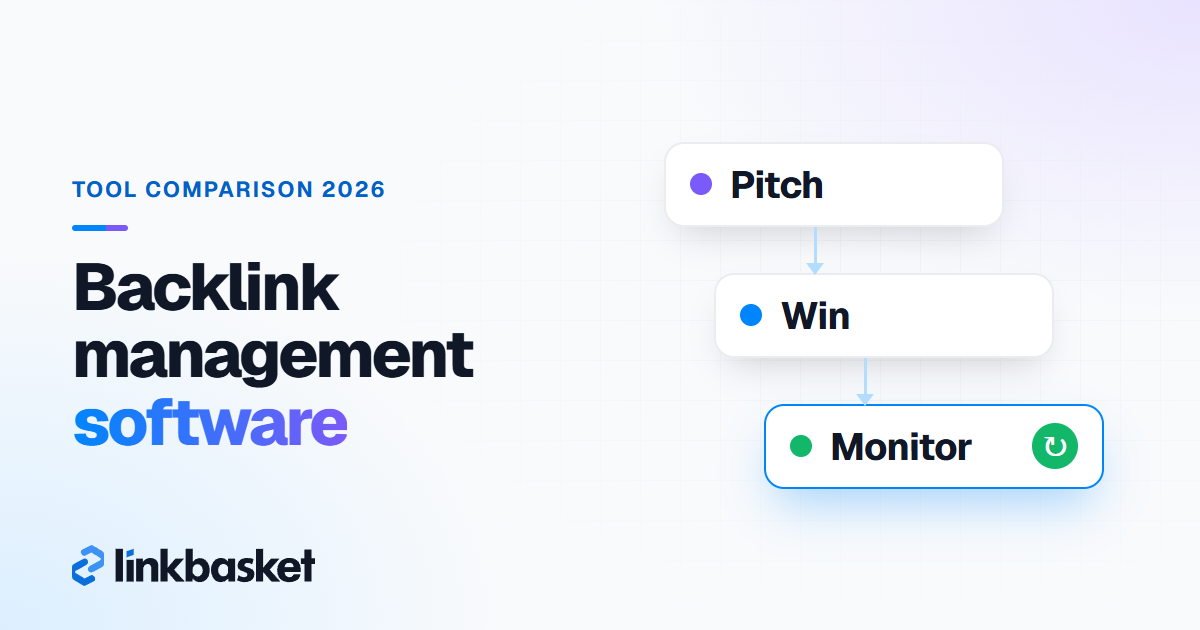
Backlink management software is any tool that tracks link-building outreach, records every link you win, and checks that those links stay live and followed. Outreach CRMs such as BuzzStream and Pitchbox handle the pitching. Monitors such as Linkody and LinkChecker.pro watch the live links. Small teams can start with a spreadsheet.
Last updated: November 9, 2026
We read every price and feature below on the vendor's own pricing page on November 9, 2026. Prices are in US dollars. They change. Confirm them at checkout.
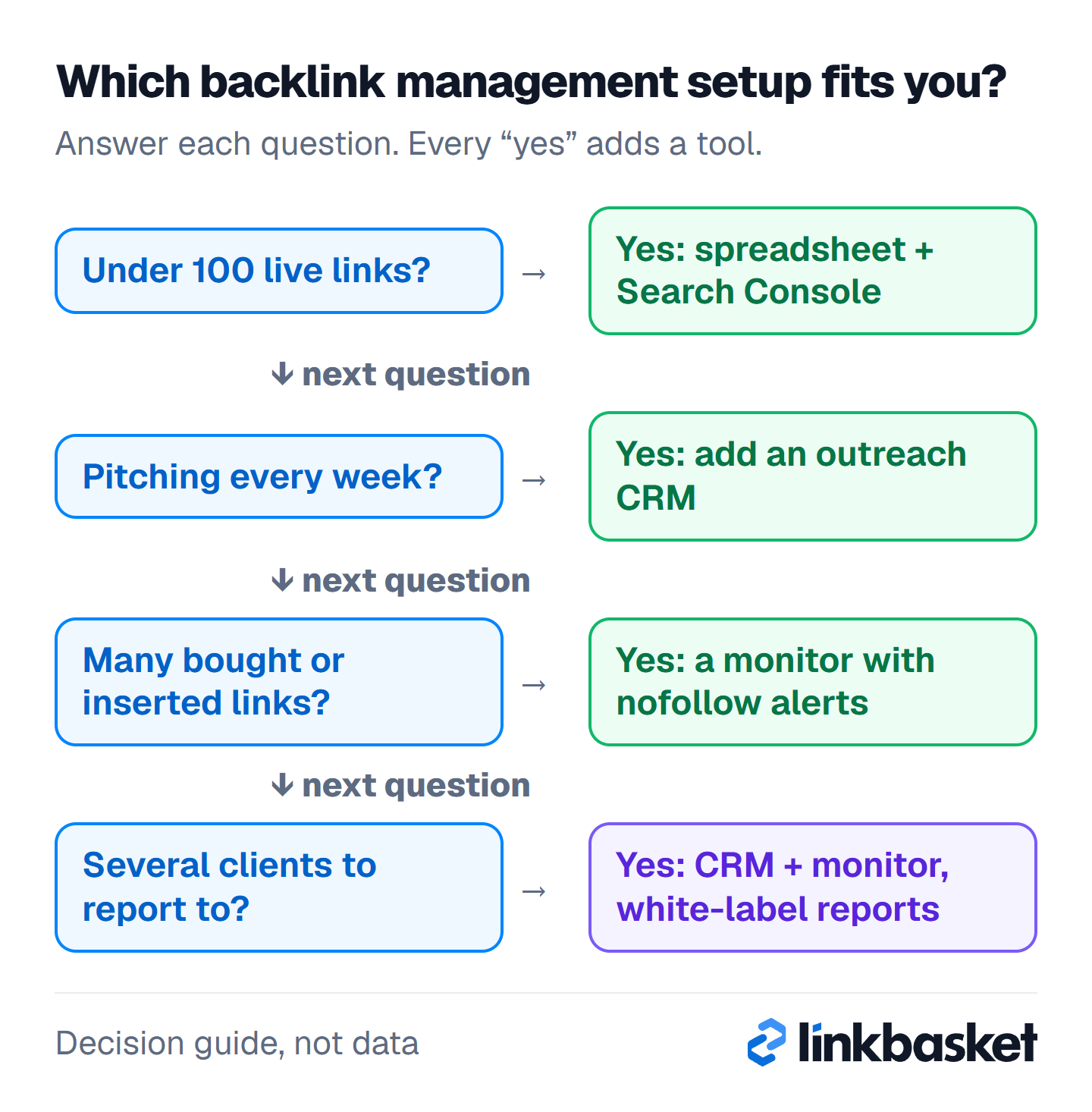
Answer the four questions from the top. Each "yes" adds one tool, so most small sites stop after the first row.
What does backlink management software actually do?
Backlink management software does two jobs: it runs the outreach pipeline before a link exists, and it monitors the link after it goes live. Few tools do both well. Most teams pair two.
Think of it as a pipeline with two halves.
Before the link: outreach CRM
Prospects, contacts, pitches, follow-ups, replies and deals.
After the link: link monitoring
Is the page live? Is the link still there, still dofollow, and is the page indexed?
Most people skip the second half. Don't. A link that quietly turns nofollow six months later still shows up in your "won" column, and when you stop checking, you stop knowing.
Prospecting is a separate job. Our guide to backlink gap analysis covers that step.
Which backlink management software fits your team?
Pick by link volume and by how you get links. Under about 100 live links, a spreadsheet does the job. Running outreach every week? Add a CRM. Tracking hundreds of placements across clients? Add a monitor with alerts.
| Your situation | Links tracked | What to use | Starting cost (Nov 2026) |
|---|---|---|---|
| Solo site owner, a few links a month | Under 100 | Spreadsheet + Search Console | $0 |
| One person running outreach | 100 to 1,000 | BuzzStream Starter or Hunter + sheet | $49/mo |
| Agency with several clients | 1,000 to 10,000 | Pitchbox or BuzzStream Growth + a monitor | $174 to $300/mo |
| Many bought or inserted links | Any | A monitor with nofollow alerts | From $14.90/mo |
| Desktop-tool fan, yearly budget | Up to 1,100 free | LinkAssistant | $0, or $349/yr |
Which outreach CRMs manage link building?
Outreach CRMs store prospects and contacts, send pitch sequences, and move each deal through stages. As of November 2026, the main options are BuzzStream, Pitchbox and BacklinkManager.io, with Hunter as a lighter option.
BuzzStream
BuzzStream calls itself an outreach CRM for digital PR, SEO link building and content promotion. Its plan cards on November 9, 2026 showed Starter at $49/mo (1 user, 500 contacts, 1,000 links monitored), Growth at $174/mo (3 users, 25,000 contacts, 25,000 links monitored), and Professional at $424/mo (6 users, 100,000 links monitored). Plans are monthly, with no minimum term. Growth adds bulk sending, scheduling and automated follow-ups.
One oddity: the comparison table further down the same BuzzStream pricing page listed different plan names and lower prices. Check the plan at checkout before you budget.
Pitchbox
Pitchbox is built for link building at agency scale. It isn't cheap. As of November 2026, Pro costs $300/mo billed monthly or $210/mo billed annually, with 1,000 links monitored. Advanced is $600/mo (5,000 links) and Scale $1,200/mo (10,000 links). Pitchbox says all plans need a one-year commitment, and the trial runs through a demo with a product specialist, so budget for a full year before you book that call and don't treat it as a monthly experiment. It includes email sequences, an email finder and verifier, pipeline management and link monitoring.
BacklinkManager.io
BacklinkManager.io combines a partnership CRM with a link crawler. Billed annually, Starter starts at $39/mo for 200 backlinks and 3 users, and Growth at $99/mo for 1,000 backlinks. It checks Google indexing, offers white-label reports and connects to Ahrefs, Semrush, Moz and Majestic. There's a free trial with no card.
Hunter
Hunter finds email addresses and sends sequences. No link monitoring. Its free plan gives 50 credits a month. Starter costs $49/mo billed monthly or $34/mo billed yearly. Pair it with a sheet if you only need contacts and follow-ups.
A note on Respona. It used to sell self-serve outreach software. As of November 2026, its site sells a managed, pay-per-placement link service instead, priced from $100 per placement, so it's no longer a software pick.
Which tools monitor backlinks after they go live?
Link monitors recrawl each linking page on a schedule and alert you when a link disappears, changes its rel attribute or the page drops out of Google. We verified these in November 2026.
The bars show the entry price. The list says what each tool checks, which matters more.
- Linkody: Webmaster $14.90/mo (2 sites, 500 links). It emails you when a link's status changes and shows Google index status. 30-day free trial, no card.
- LinkChecker.pro: Lite $25/mo (400 backlinks). It checks backlinks daily and alerts on missing links, rel changes (nofollow, sponsored, ugc), noindex, robots.txt blocks and canonical changes. 7-day refund, no free trial.
- LinkAssistant (SEO PowerSuite): free edition tracks up to 1,100 backlinks in 1 unsaved project. Professional is $349/yr. Link verification flags removed pages and new nofollow tags.
- Backlink Monitor: Starter $15/mo for 2,500 backlinks. No free trial, but 20 backlinks get crawled free.
- Ahrefs Alerts: emails you when a site gains or loses backlinks. Ahrefs' help centre lists scheduled alerts from the Lite plan ($129/mo) up.
Nofollow alerts are the feature to check for. Only LinkChecker.pro and LinkAssistant state it plainly. The others show link status, but we couldn't confirm a specific "turned nofollow" alert, so test it in the trial.
Don't forget the free baseline. Google Search Console's Links report lists the sites Google has found linking to you. No alerts. Stale rows too. But it's free. Our guide on how to check backlinks walks through it.
How do you set up a link building management spreadsheet?
A link building management spreadsheet needs one row per link and about 14 columns covering the deal, the link itself and its live status. Google Sheets works fine up to a few hundred rows.
Use these columns:
| Column | Example value | Why it matters |
|---|---|---|
| Prospect domain | example-blog.com | One row per site |
| Contact and email | Editor, name@ | Who to chase |
| Stage | Pitched / Replied / Agreed / Live / Lost | Your pipeline |
| Date pitched | 2026-11-02 | Follow-up timing |
| Next follow-up | 2026-11-09 | Nothing slips |
| Link type | Guest post / insertion / mention | Mix tracking |
| Cost | $0 or the fee | Cost per link |
| Live URL | Full article URL | What to check |
| Target URL | Your page | Catches wrong targets |
| Anchor text | Brand / topic phrase | Anchor mix |
| Rel attribute | dofollow / nofollow / sponsored | Catches changes |
| Date live | 2026-11-20 | Link age |
| Last checked | 2026-12-20 | Monitoring gaps |
| Status | Live / changed / removed | Action list |
Two formulas save time. In Google Sheets, =COUNTIF(IMPORTXML(H2,"//a/@href"),"*"&I2&"*")>0 returns TRUE when the live page still links to your target URL. It fails on pages that load with JavaScript or block Google's fetcher, so treat an error as "check by hand". Then flag stale rows with =TODAY()-M2>30.
The spreadsheet won't spot a nofollow change on its own. So once a month, when you review the sheet, open each live link in a browser, right-click it, choose Inspect and read the rel attribute, because that one attribute decides whether the link passes ranking credit at all. With 50 links that's about an hour. With 500, buy a monitor.
Worked example: spreadsheet or software?
Every number here is hypothetical. Say you run a two-person team that wins 25 links a month, so it holds about 300 live links after 12 months.
- Month 1 to 4: 100 links or fewer. A spreadsheet plus Search Console works, and monthly manual checks take around 2 hours.
- Month 5 to 12: 125 to 300 links. Manual checks would take 5 to 6 hours a month. A Linkody Advanced plan ($24.90/mo, 2,000 links) or LinkChecker.pro Lite ($25/mo, 400 backlinks) costs about $25 a month, which most teams will happily trade for 5 hours of clicking.
- Outreach: 300 pitches a month in a sheet? Painful. BuzzStream Starter at $49/mo covers 500 contacts, but this team would outgrow it fast. Growth at $174/mo fits better.
So the year-one tool bill for this team runs about $200 a month, against a $0 sheet that costs hours. The trick is to switch at the point where checking links by hand eats more than a working day each month.
How does LinkBasket fit into backlink management?
LinkBasket covers the placement step and part of the monitoring. LinkBasket is our marketplace. You pick the exact publisher site in the LinkBasket inventory, see its metrics and published price, and order a guest post or link insertion.
After publishing you get 3 days to check the live article, and we fix a wrong anchor, wrong URL or missing link. Then LinkBasket checks each ordered link weekly for 12 months. If it's removed, switched to nofollow on a site sold as dofollow, or the page goes offline, we restore it, move it to a comparable site or refund it to your wallet. Our help centre explains the order flow.
That covers links bought through us. Earned links? Those still need your own sheet.
And be clear-eyed about paid links.
Which edge cases trip up backlink management tools?
Five cases cause most false alarms or missed losses.
- JavaScript pages: some crawlers can't see links injected by scripts and report them as missing. Check by hand before you chase the publisher.
- Redirected target pages: if you redirect your own target URL, monitors may flag a change you caused. LinkBasket's weekly-check guarantee also excludes changes the buyer caused.
- Sponsored tags: a publisher adding rel="sponsored" isn't a fault unless the site was sold as dofollow.
- Bot blocking: a site behind a firewall may block crawlers, so "page offline" can be a false alarm.
- Tool limits: caps count links, not sites. A 500-link plan fills faster than you think.
When should you get help instead of more software?
Get help when the problem is strategy, not tracking. Software won't save a bad plan. If links keep disappearing from the same publishers, or Search Console shows a manual action for unnatural links, a tool won't fix it. Talk to an SEO who handles link audits.
And if outreach eats a full-time job, compare the cost of a CRM plus your hours with link building services that do the outreach for you.
When you set this up, work through it in order:
- Find your row in the decision table
- Build the 14-column sheet and add the IMPORTXML check
- Read the rel attribute on every live link once a month
- Start a monitor trial once manual checks pass about 5 hours a month
- Test the trial's nofollow alert before you pay
FAQ
What is the best backlink management software?
There isn't one best tool, because the jobs differ. BuzzStream and Pitchbox lead on outreach, while Linkody, LinkChecker.pro and LinkAssistant focus on monitoring live links. Small sites? Start free.
Is there free backlink management software?
Yes, within limits. LinkAssistant's free edition tracks up to 1,100 backlinks in one unsaved project, Hunter's free plan includes sequences, and Search Console is free. A Google Sheet with the 14 columns above covers the rest.
How often should I check my backlinks?
Monthly works for most sites. Go weekly when you've paid for placements or run an active campaign, since that's when a removed or edited link costs you real money and when publishers are most likely to tidy up old posts. LinkBasket orders get a weekly check for 12 months after going live. Don't rely on that for earned links, though.
Do I need both an outreach tool and a link monitor?
Only past a few hundred links. Below that, one sheet handles both. Above it, pair a CRM for pitching with a monitor that alerts on removed or nofollowed links.
Next step
Pick the row in the decision table that matches your team, set up the sheet today and start a trial only when manual checks pass a few hours a month. For tools that find prospects rather than manage them, see our roundup of the best link building tools. To understand what you're tracking, read our explainer on what a backlink profile is.