There is no fixed number of backlinks you need to rank; it depends on how many sites link to the pages already ranking for your keyword. To estimate it, count the referring domains of the top 5 results, take the median, then adjust for content and intent.
Last updated: November 9, 2026
That's the honest answer to "how many backlinks do I need to rank?" Anyone who quotes a single number, like 50 or 100, hasn't looked at your keyword. Don't trust them. Below is the 5-step method we use, a fully worked example with hypothetical numbers, and what changes when the links come from one website.
How many backlinks do I need to rank? The short answer
You need roughly as many referring domains as the pages ranking in positions 1 to 5, give or take, depending on how your content compares. For a low-competition keyword that can be under 10. For a crowded one it can be several hundred.
Ahrefs publishes a helpful benchmark. Its Keyword Difficulty page, checked November 2026, maps each Keyword Difficulty (KD) score to the approximate number of referring domains needed for a top-10 spot:
When you read the chart, look at the bottom rows: above KD 60, each step needs far more sites than the one before.
Two caveats come from Ahrefs itself, and you shouldn't skip them. The scale is not linear, and "Keyword Difficulty doesn't take into account any on-page factors." So treat KD as a rough first look. Nothing more. The method below is more precise because it looks at the actual pages you'll compete with.
Why is there no fixed number of backlinks to rank?
There's no fixed number of backlinks to rank because every keyword has different competitors, and Google weighs links as one signal among many. Google's documentation calls links "a signal"; it never gives a weight or a count.
Three things change the answer from keyword to keyword:
- Competition: the pages already ranking set the bar. Beat their content and links, and you're in the running.
- Link quality: 10 relevant sites with real readers often beat 50 random ones.
- Counting method: backlinks and referring domains are different numbers. One blog linking to you from 40 posts is 40 backlinks but 1 referring domain.
That last point trips up most people, and when you get it wrong, every estimate after it is wrong too. Always count referring domains, the number of separate sites that link to a page. Our comparison of backlinks vs referring domains explains why the raw backlink count misleads.
How do you estimate how many backlinks you need? 5 steps
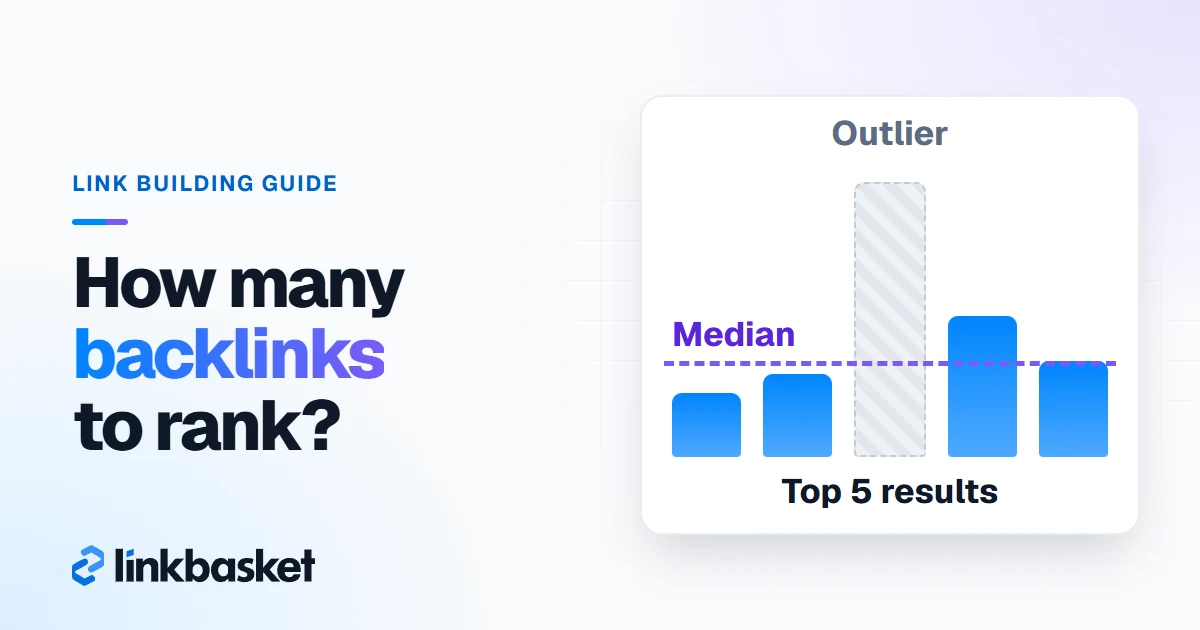
Estimate how many backlinks you need by counting the referring domains of the top 5 organic results, taking the median, and adjusting for your content and intent. The whole check takes about 30 minutes per keyword.
- Pull the top 5 organic results. Search your keyword from your target country. Skip ads, video carousels and forum threads, and note the 5 ranking URLs.
- Count page-level referring domains. Paste each URL into Ahrefs Site Explorer or Semrush Backlink Analytics and note referring domains to that exact URL, not the whole site.
- Take the median and drop outliers. A homepage or a giant brand page can carry 10 times the links of the rest. The median ignores one freak result; an average doesn't.
- Adjust for content and intent. If your page is clearly better and matches the intent, you may need fewer links. If it's weaker, fix it first.
- Set a target and a monthly pace. Subtract the referring domains you already have, then spread the gap over the months you can afford.
Don't have a paid tool? No problem. Ahrefs' free backlink checker and Semrush's free plan show limited data. Our walkthrough on how to check backlinks covers both.
How do you adjust for content and search intent?
Adjust for content and search intent by asking whether your page answers the query better than the top 5 and in the same format. If the format is wrong, no number of links will fix it. Honestly, this is where most failed link campaigns start: someone builds 40 links to a blog post for a keyword where Google only wants to show product pages, then wonders why nothing moved.
Use this as a rough rule of thumb. It's our judgment, not a measured formula:
- Clearly better content, same intent: aim for about 70% of the median.
- Comparable content: aim for the median.
- Weaker content: improve the page before you build a single link.
- Wrong format (a blog post where Google shows product pages): change the page type.
If your site already has strong links pointing at its other pages, your new page also benefits from internal links. In practice, that often lowers the number of new links the page needs on its own, especially when you link to the new page from 3 or 4 of your older posts that already rank and already have links pointing at them.
Worked example: how many backlinks for one keyword?
Here is a worked example where every number is hypothetical. Say you run a 3-year-old project management app and target "project management software for architects." The top 5 organic pages show 42, 18, 27, 150 and 23 referring domains.
| Position | Page type | Referring domains | Keep in median? |
|---|---|---|---|
| 1 | Comparison article | 42 | Yes |
| 2 | Vendor landing page | 18 | Yes |
| 3 | Comparison article | 27 | Yes |
| 4 | Big brand homepage | 150 | No, outlier |
| 5 | Vendor landing page | 23 | Yes |
The calculation, step by step:
- Drop the outlier at 150. That leaves 18, 23, 27 and 42.
- The median of those 4 is (23 + 27) / 2 = 25 referring domains.
- Your page is comparable to the top results, so the target stays at 25.
- Your page already has 5 referring domains. The gap is 25 - 5 = 20.
- At 4 new referring domains a month, you close the gap in 5 months.
Now notice what the average would have said. Including 150, the mean is 52, more than twice the median. Use the average and you'd budget for twice the links you need. That's real money.
How many backlinks from one website count?
Multiple backlinks from one website count for much less than links from different websites, because each extra link from the same site adds little new information. The first link from a site matters most.
You can see this in the tools. Ahrefs' SEO metrics glossary, checked November 2026, says referring domains "only count one link per website," so further links from the same site don't raise DR. Google Search Console groups its Top linking sites table by root domain too.
So how many backlinks from one website make sense?
- One site, one page of yours: 1 link is usually enough. A second link to the same page adds little.
- One site, different pages of yours: a second link to a different, relevant page can help that page.
- One site, sitewide: a footer or sidebar link on every page can show as hundreds of backlinks. Google's spam policies list widely distributed footer and template links as link spam, so don't pay for these.
When you plan link targets, count new referring domains, not new links. Skip the vanity total. Ten links from 10 sites beat 10 links from 1 site almost every time.
How long does it take for backlinks to help rankings?
Backlinks usually take weeks to months to affect rankings, because Google has to crawl the linking page, index it and recalculate. Google publishes no fixed timeline, so treat any exact number as a guess.
Here is the sequence to watch:
- The link goes live on the publisher's page.
- Google crawls and indexes that page. Search the page URL in Google to confirm.
- Google recrawls your page and reassesses it.
- Rankings move, or don't, alongside every other change on the web.
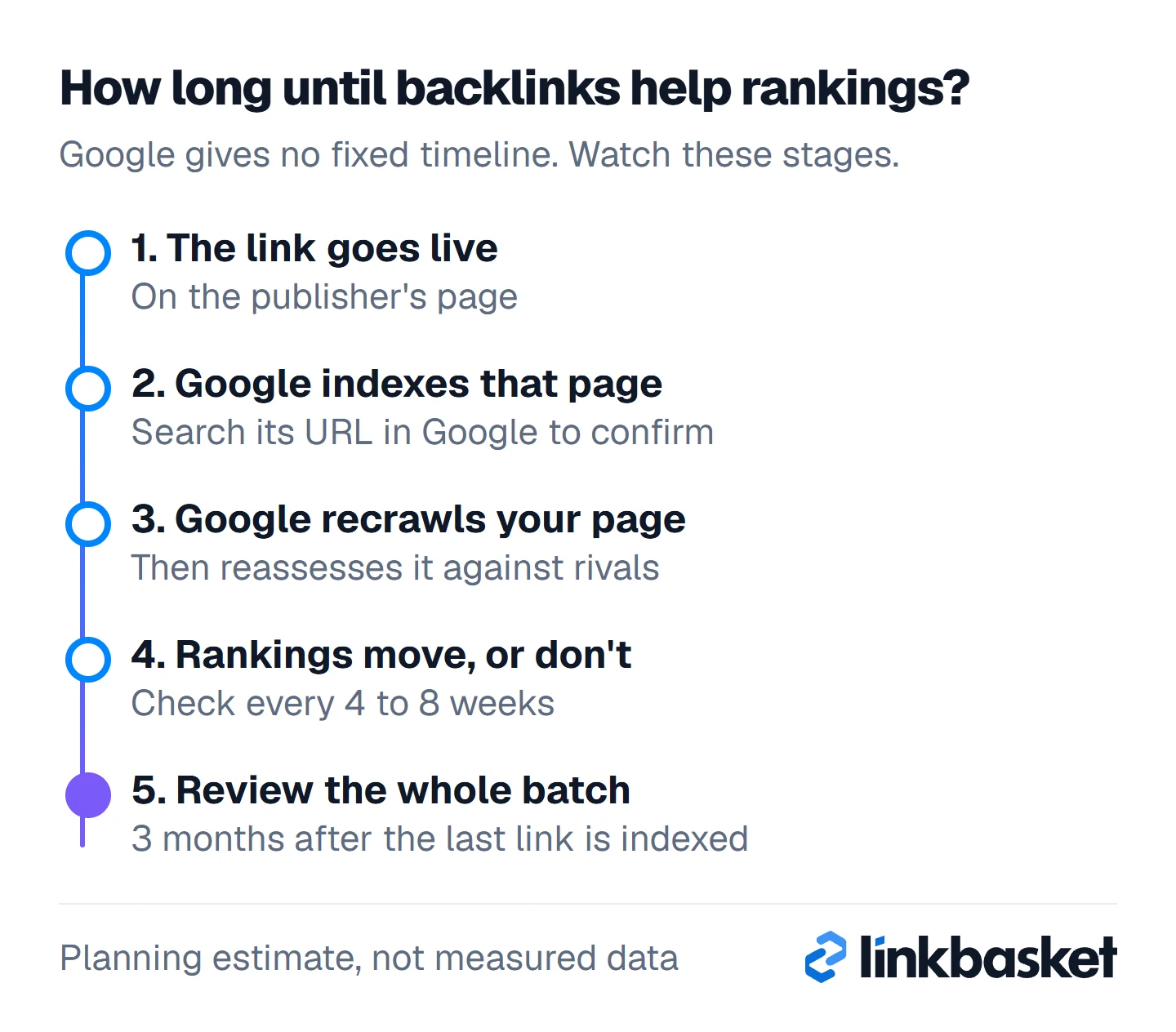
In practice, the last dot on the timeline is a review point, not a deadline.
For planning, we use 3 months after the last link in a batch is indexed as a review window. That's a planning estimate, not a measured figure. Check rankings every 4 to 8 weeks, and don't add links in panic if nothing moves in week 2. Patience is part of the plan. For pacing, our guide to link velocity and how many backlinks per day is safe goes deeper.
How many backlinks should a website have overall?
A website has no right total number of backlinks, because Google ranks pages, not sites, against specific queries. Set targets page by page and keyword by keyword instead.
Use the median from step 3 to decide what kind of plan you need:
| Median referring domains (top 5) | What it means | Plan |
|---|---|---|
| 0 to 10 | Low competition | Great content plus a few relevant links |
| 11 to 50 | Moderate | A 3 to 6 month campaign for 1 page |
| 51 to 200 | Hard | Long campaign, digital PR, strong supporting pages |
| 200+ | Very hard | Target easier long-tail terms first |
Links can come from earned mentions, guest posts, PR or paid placements.
What lowers the risk is relevance, real traffic, editorial sites, a sponsored tag where the publisher adds one, and no link farms. LinkBasket checks each live link weekly for 12 months, and each site page shows DR, traffic and referring domains before you order.
Which edge cases change how many backlinks you need?
Five edge cases change the number: local searches, YMYL topics, brand-new domains, results full of big brands, and results where forums or videos dominate.
- Local searches: the map pack weighs reviews and distance too. Our local link building guide covers local links.
- Health, finance and legal: a few authoritative citations matter more than a high count.
- New domains under 6 months: when you're this new, expect even the lower end of your range to take longer.
- Big brands in all 5 spots: the median may be unreachable. Pick a narrower keyword.
- Forums or videos ranking: the intent may not suit an article. Match the format before you count links.
When should you call a specialist, and when not?
Call a specialist when your page matches the median on links and content but still won't move after 6 months, or when you've had a manual action. Both need a proper audit, not more links.
You don't need help for the estimate itself. Frankly, it's arithmetic. Anyone with a backlink tool can run the 5 steps above in an afternoon. For a deeper look at what competitors' links are made of, read our competitor backlink analysis guide. Don't build a single link until you can tick these off:
- You pulled the top 5 from your target country.
- You counted referring domains to each exact URL, not the whole site.
- You used the median and dropped any outlier.
- Your page matches the format Google shows for the keyword.
- You wrote down the gap and a monthly pace.
FAQ
How many backlinks do I need per month?
There's no safe monthly number. Work back from your target: if the gap is 20 referring domains and you want results in 5 months, that's 4 a month. Steady beats bursty. Quality beats volume.
Is 100 backlinks enough to rank?
It depends on the keyword. 100 backlinks from 5 sites is weak; 100 referring domains would put you near KD 50 to 60 on Ahrefs' scale. Count referring domains to the ranking page, not total backlinks.
Can I rank with zero backlinks?
Sometimes. Very low-competition and long-tail keywords can rank with strong content and internal links alone. Our guide on why backlinks are important covers when you can skip them.
How many backlinks are good for a new website?
A new website needs fewer links than you'd think for its first, easy keywords. Pick terms where the top 5 have under 10 referring domains, then add a handful of relevant links per month. Don't chase the head term yet.
Next step: run the method on your keyword
Pick 1 keyword, run the 5 steps and write down your gap. When you know the number, browse our publisher inventory with DR and traffic to see which sites fit, or ask us to plan it through our link building services. New to the topic? Start with what a backlink is and how it works.